# Basic Installation
## Install the App from the Shopify App Store
## Step 1: Find Insureful
1. Open the Shopify App Store.
2. Search for '**Insureful: Shipping Protection'** in the Shopify App Store, or visit directly at [Insureful on Shopify](https://apps.shopify.com/insureful).
## Step 2: Install the App
1. Look for the **"Install"** button on the left side of your screen.
2. Click the "Install" button.
Find the Installation Button
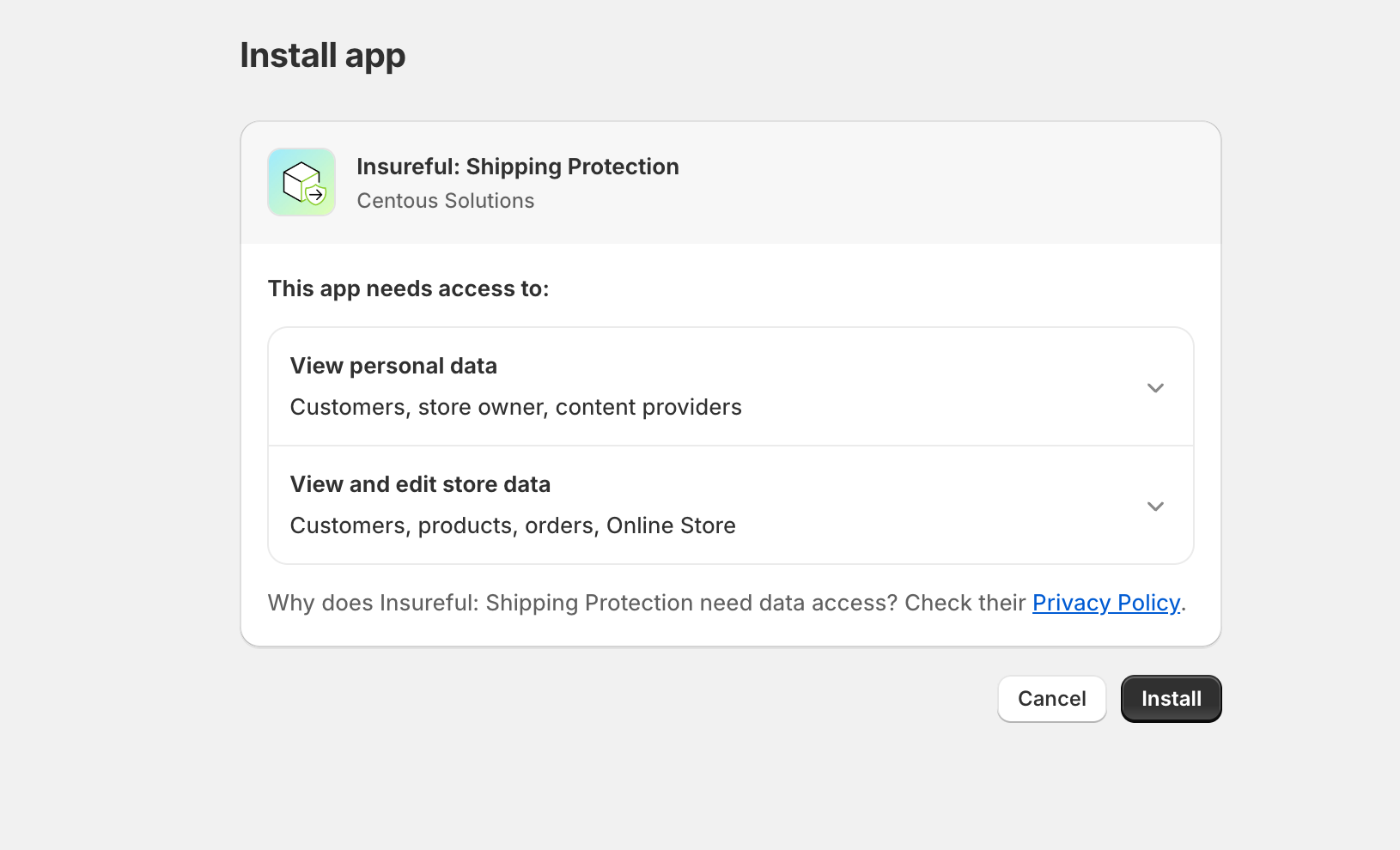
## Step 3: Review Permissions
1. You’ll see a list of permissions that app needs.
2. Take a moment to review them.
3. Click "**Install**" again to confirm.
Review Permissions
## Step 4: Configuration Wizard
After installing, the app will guide you through a simple setup process.
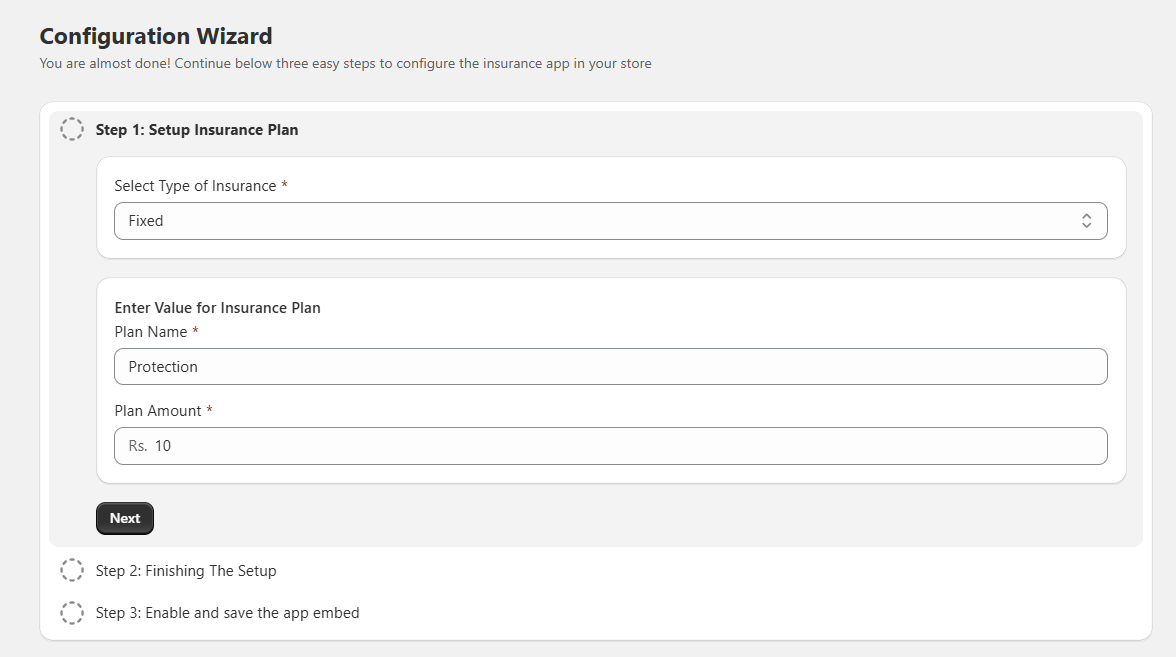
**Step 1: Set Up Your Insurance Plan**
This step has three parts:
1. **Choose the Type of Insurance**:
* **Fixed Plan**: A set charge amount for insurance.
* **Percentage Plan**: Insurance charge based on a percentage of the cart subtotal.
2. **Enter Plan Details**:
* **Plan Name**: Give your insurance plan a name.
* **Plan Amount**: Set the insurance amount or percentage.
## Step 5: Finishing The Setup
1. **Enable or disable the app:**\
Use the toggle to turn the app on or off for your store.
2. **Add Title and Description:**\
Enter a short, catchy title for your insurance.
3. **Description of Insurance:**\
Write a brief description of what the insurance covers and why it’s beneficial for your customers.
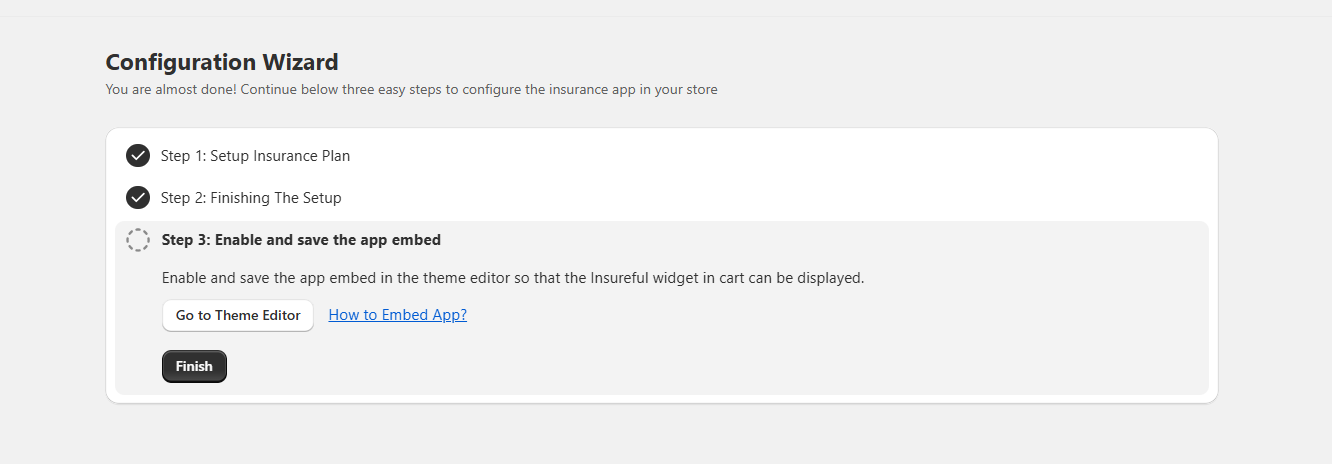
## Step 6: Enable and save the app embed.
After completing the setup, you need to enable the **Insureful app embed** in your theme so the widget can display in the cart.
1. Click on **Go to Theme Editor**. This will open the Shopify **Theme Customizer**.
2. From the left sidebar, go to **App embeds**.
3. Find **the Insureful App Embed** and switch it **ON**.
4. Click **Save** in the top-right corner.
5. Once done, return to the setup wizard and click **Finish**.
✅ After saving, the installation is complete, and the Insureful widget will be visible in your store’s cart.