> For the complete documentation index, see [llms.txt](https://docs.centousapps.com/insureful/llms.txt). Markdown versions of documentation pages are available by appending `.md` to page URLs; this page is available as [Markdown](https://docs.centousapps.com/insureful/app-installation/manage-app-settings/insurance-plan/fixed-single-plan.md).
# Fixed - Single Plan
Lets setup Fixed - Single plan
**Purpose:**
* **Fixed Plan** is to provide customers with a **simple and predictable shipping protection fee**. No matter the order size, the protection cost always stays the same. This makes it easier for customers to understand and ensures **consistent revenue** for the business.
### Add or Update Single Plan
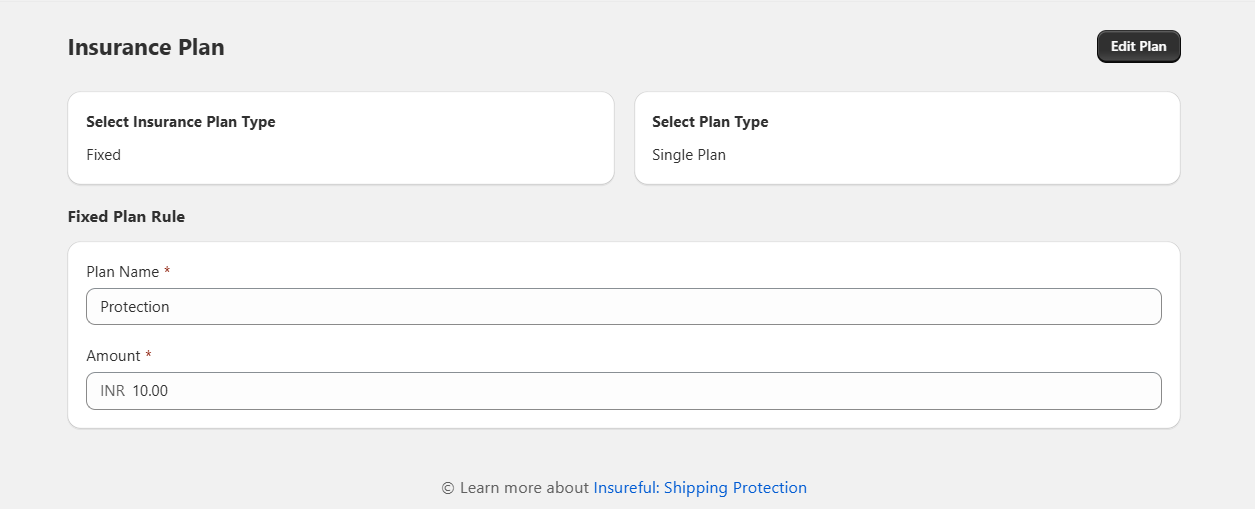
* Click on the Edit Plan button
* Select **Fixed Plan** and then Plan type as **Single Plan** and click on update button.
* Enter the Plan Name and Amount in the form section.
* Click the **"Save"** button to save your changes.
#### Example
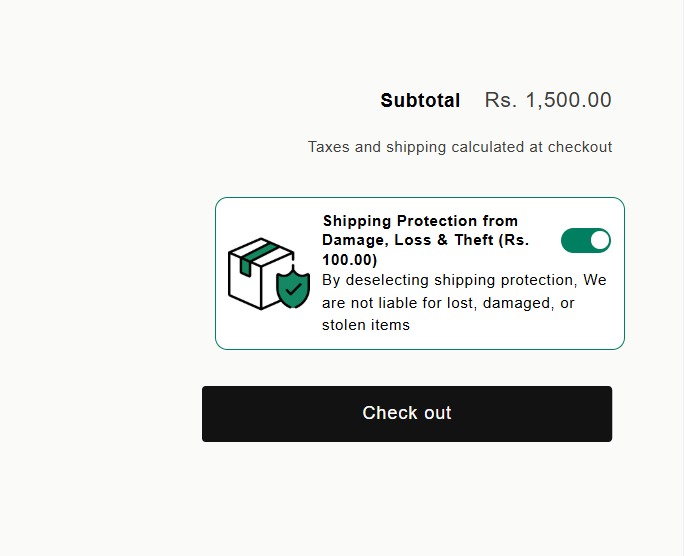
* Cart Value: INR 500 → Protection Fee = **INR 100**
* Cart Value: INR 5,000 → Protection Fee = **INR 100**
* Cart Value: INR 50,000 → Protection Fee = **INR 100**
It means whatever your cart total, it should charge fixed amount that you setup.