> For the complete documentation index, see [llms.txt](https://docs.centousapps.com/insureful/llms.txt). Markdown versions of documentation pages are available by appending `.md` to page URLs; this page is available as [Markdown](https://docs.centousapps.com/insureful/app-installation/manage-app-settings/insurance-plan/percentage-plan-by-cart-value.md).
# Percentage - Plan by cart value
Lets setup Percentage - plan by cart value
**Purpose: The ‘Percentage – Plan by Cart Value’** page is used to set the insurance amount based on a percentage of the cart value.
**Note:** This app will not give you the exact insurance amount. The amount always depends on the cart order value.
**Summary: The** **Percentage by Cart Value** plan allows charging insurance based on the cart value. You can create multiple plans according to the cart value. With the help of the increment amount feature, you can set the exact amount you want to add.
### **This Plan only works with the Shopify Plus plan**
**Plan by Cart Value**
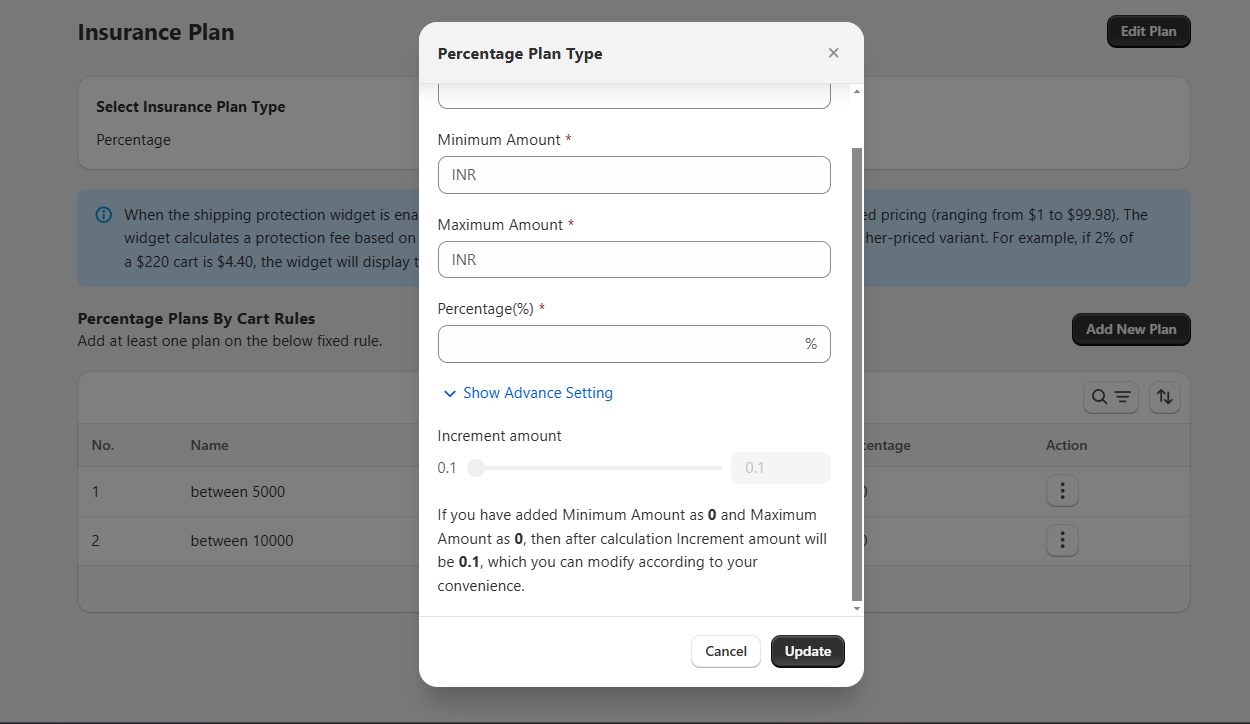
In this screen, you can create a **percentage plan** by entering the following details:
* **Plan Name**—The name of the insurance plan (e.g., Protection).
* **Minimum Amount**—The lowest cart value for which this plan will apply.
* **Maximum Amount** – The highest cart value for which this plan will apply.
* **Percentage (%—The** percentage of the cart value that will be charged as insurance.
You can also expand **Show Advance Setting** to configure additional options.
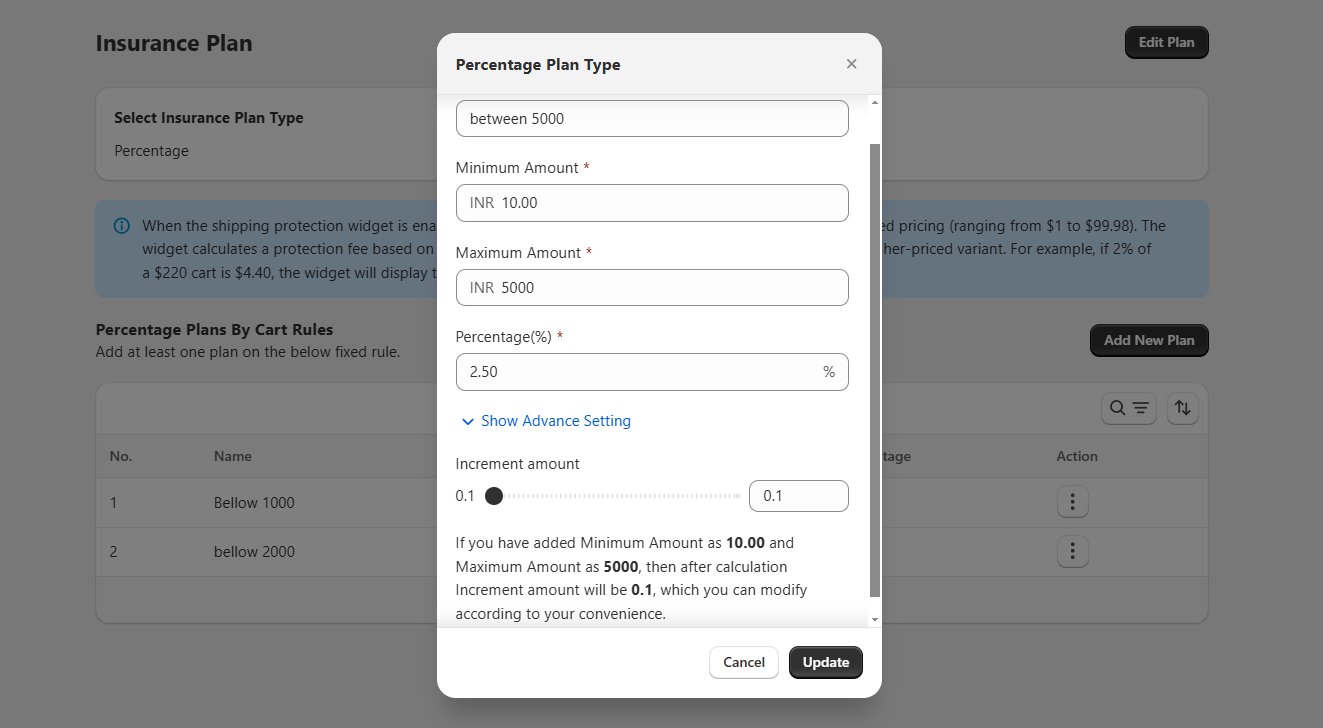
This screen shows the same Percentage Plan but with **Advance Setting** enabled:
* **Increment Amount**—This defines the step or increment in which the calculated insurance fee will be rounded or adjusted. For example, if the minimum is 1000 and the maximum is 2000, the system calculates the insurance, then applies an increment (like 1.5) that you can adjust for convenience.
\
Example:
| NAME | MIN price | MAX price | Percentage |
| -------------------------- | --------- | --------- | ---------- |
| Cart between 10 to 5000 | 10 | 5000 | 2.5 |
| Cart between 5000 to 10000 | 5000 | 10000 | 5 |