---
description: >-
Follow these steps to uninstall the Insureful app from your store. If you
encounter any missing features or experience unexpected issues, we're here to
help. Please provide your feedback through this
---
# Uninstallation
1. **Navigate to Shopify Admin Dashboard**:
* Log in to your Shopify admin panel.
2. **Go to Settings**:
* In the left-hand menu, select **Settings**.
* Click on **Apps and sales channels**.
3. **Find and Uninstall Insureful**:
* Locate the **Insureful: Shipping Protection** app in the list of installed apps.
* Click on the **Uninstall** button next to it.
Find and Uninstall Insureful
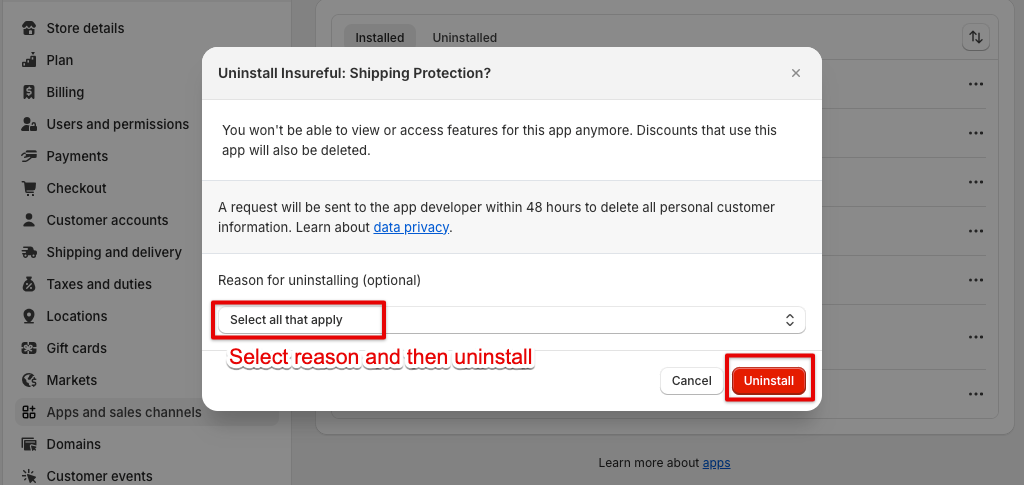
4. **Provide Uninstall Feedback**:
* Choose the reason for uninstalling the app from the provided options.
* Click on the **Uninstall** button to confirm.
5. **Confirmation**:
* The Insureful app will be uninstalled from your store.